Day 151 (of 2024/25) Digital Learning Symposium 2025
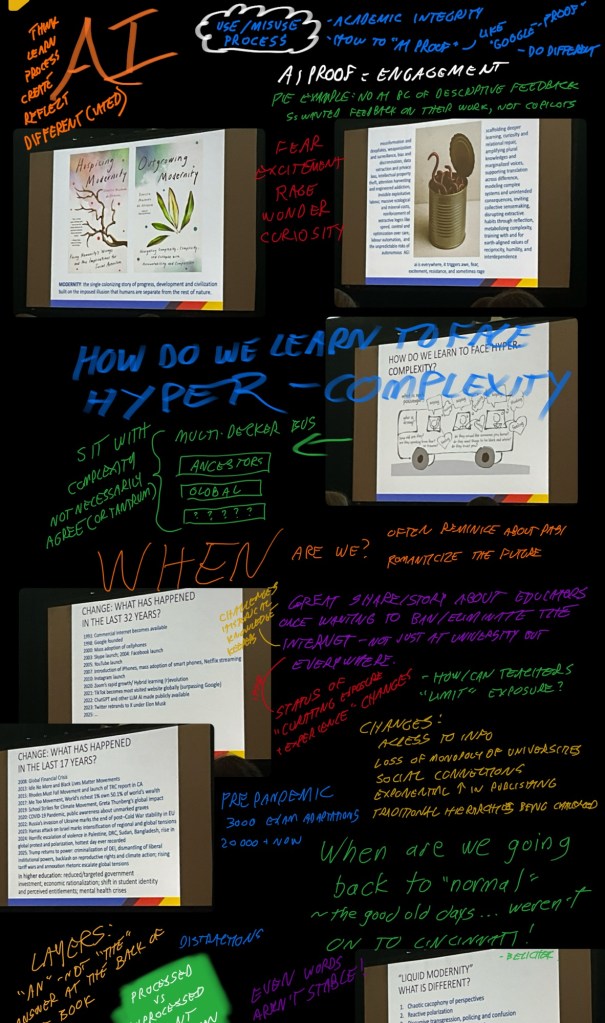
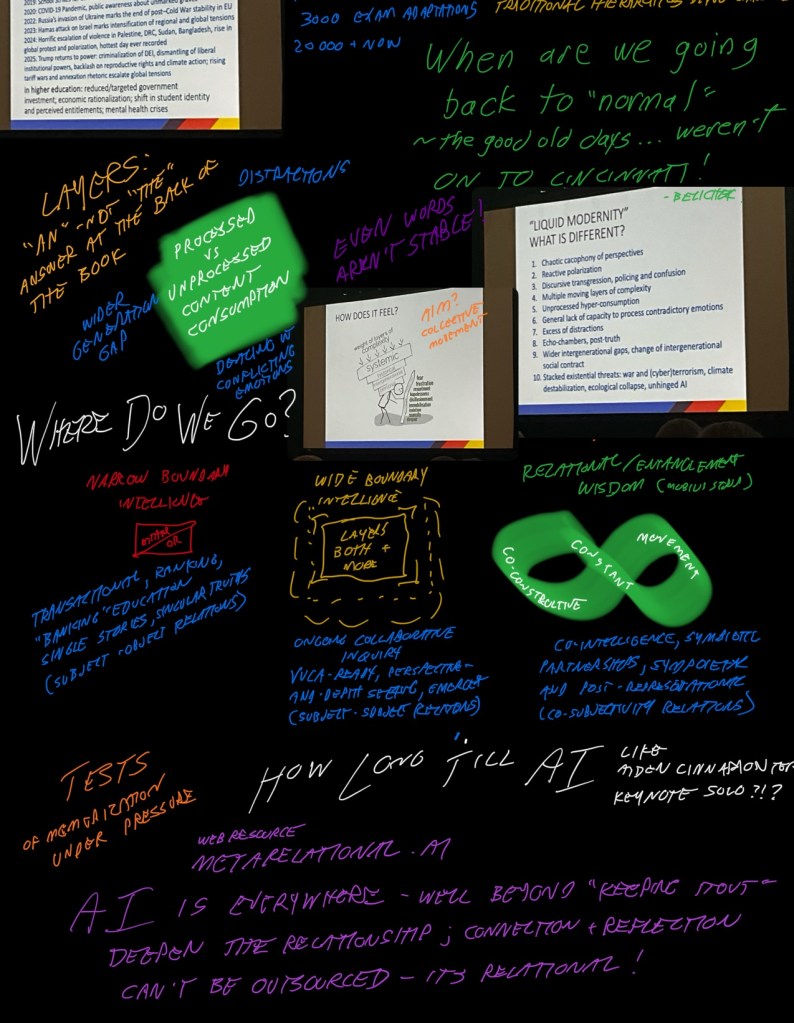
Keynote: A Metarelational Approach to Technology
Dr Vanessa Andreotti
Power of Place and Land; Warning of dangers of colonialism; we are all relations! Humans and non-humans…<— hmm, what is ‘humanity’ when compared to AI? What makes ‘us’ different? (Me, not keynote!)
Sketchnote time!
Session 2: Supercharge Online Teaching with Microsoft’s Online Learning Accelerators
Kara Dawson – sd71
(Important to me because staff works with k-12 and I think the online
Reading Coach/Progress ~ Reaching Coach standalone
Teams
Math Coach/ Progress ~ Math Coach standalone (coming soon)
Search Coach/Progress
Speaker Progress ~ Speaker Coach use in PowerPoint is standalone
Resources
Progress = teacher assign
Coach = students can do on their own (practice at home is free!) can be assigned directly now!
Open Reading vs Chosen Passage
Join Code or Link
Multiple Languages… could be a francais assessment….
GoTo: learn71.ca
– integrated technology
-Office 365 Resources
– Reaching Coach
Reading Process is the next level to get more results… engaging and rewarding
All through Teams
– Assoignments
– then details
– also can add a rubric
– can edit … cut & paste… use the embedded AI… <— should edit… don’t assume
It still makes me uncomfortable with how well the Reading Progress works to do the same thing I did with Reading Recovery and looking for fluency, comprehension, etc but so much faster. Really see this tool working well because it can be done asynchronously – so whether an in-person or online school, the student can read and the teacher can get information about what the next steps are. I used to be able to do one or two a day during silent reading, but can easily envision me modelling reading while students do the same – but doing reading that gives me insights on what to do next – for the class… and for individuals! Then I know who needs more 1:1 with a real person and who is fine to continue to get AI encouragement!
Insights include:
WPM
Accuracy
Phonics rules
Uses different measurement types – lexile, benchmarks, etc
Math Progress
Customize math problems (grade 4+)
Auto grading
Insights (including what the misconceptions are)
Assignments
– Create
– Math Progress
– Choose category
– choose own/create own
– choose topic
– generate (it’s still new, so as of 2025 some limitations)
This could easily be our Grade 4+ math activation assignment… and we could curate our own
Search
Search Coach: Stand alone
Search Progress: assigned
Eg find 3 sources
Search by domain; file type; date range; operators;
– even more narrow – eg domain – country
Speech
Will give feedback on rehearsals – slides to work on during presentation; pauses; originality; pitch; and a way to do a presentation without having to take on the anxiety of a live performance right away/only to get feedback…
District can do a connection to/thru brightspace!! But there is work district needs to do for this.
<— Josh in sd71 is working on this
Definitely ways to focus on personalization/individualization…
Session 3: Creator+ with Shannon Hagen
(Important to me because I want to get the PBL approached History of Math 11 onto a more available platform for my staff)
Good example of using a bitly link to see who is in the room (in person and online)
Creator+ three types
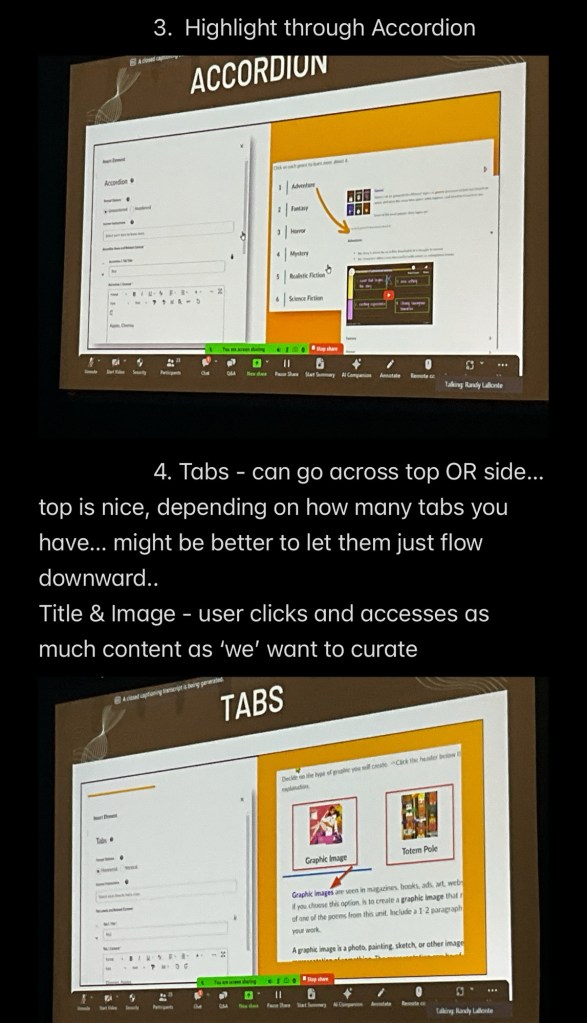
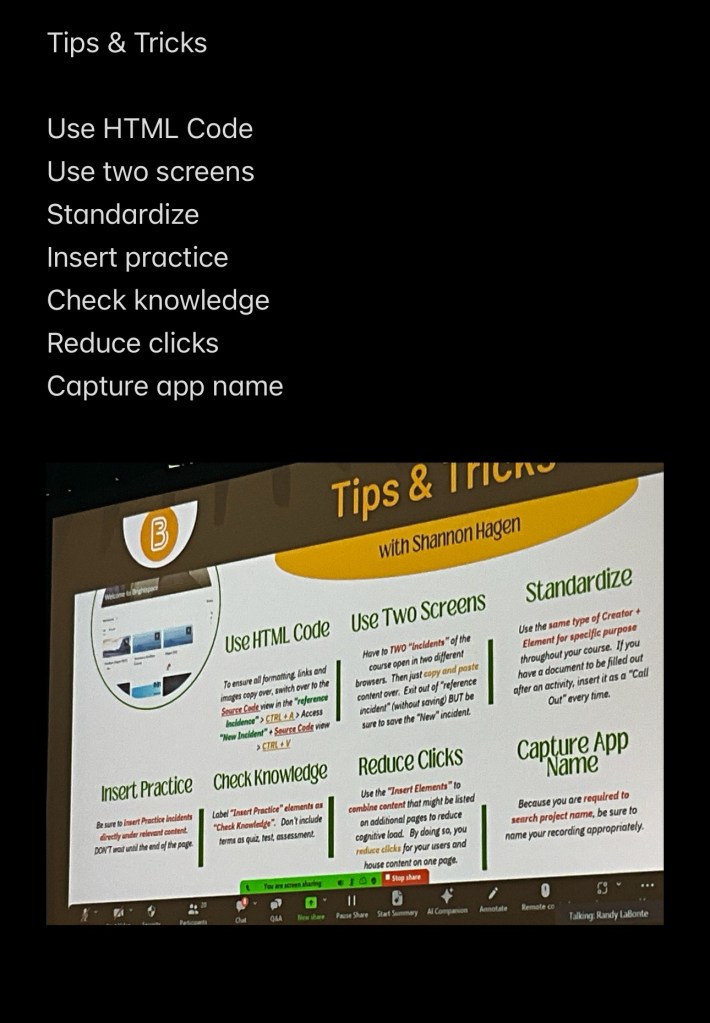
- Insert Elements – reorganize text so students aren’t overwhelmed; present in an engaging way
- Insert Practice – a quick way to check knowledge/understanding without assessment
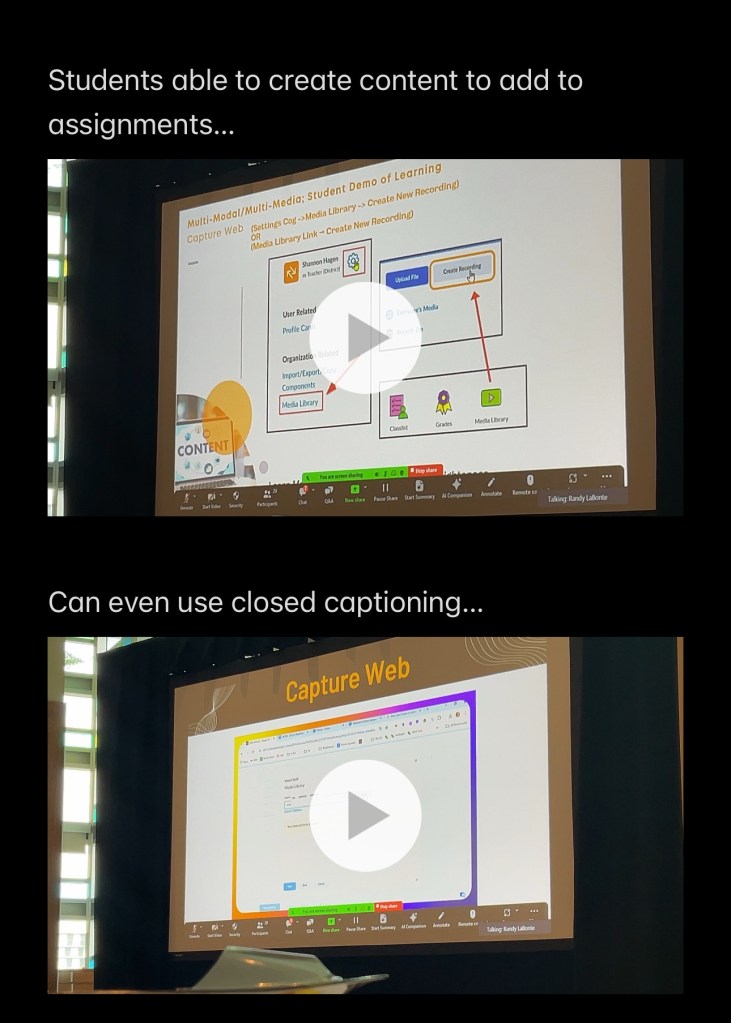
- Capture Web – screen record built into brightspace – and being easier seen via an icon in the file menu!
- Insert Elements:
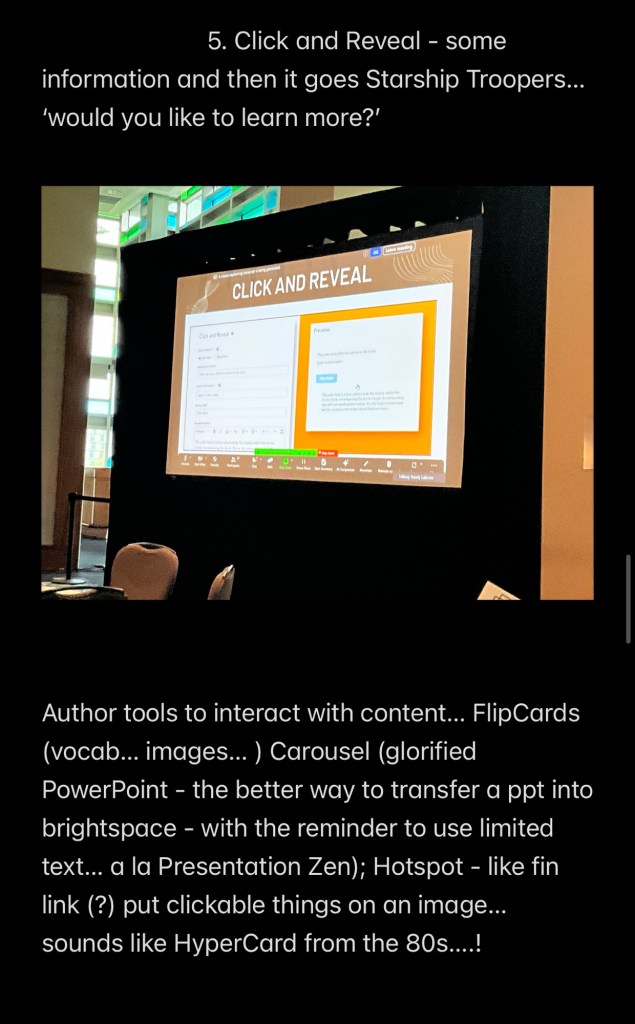
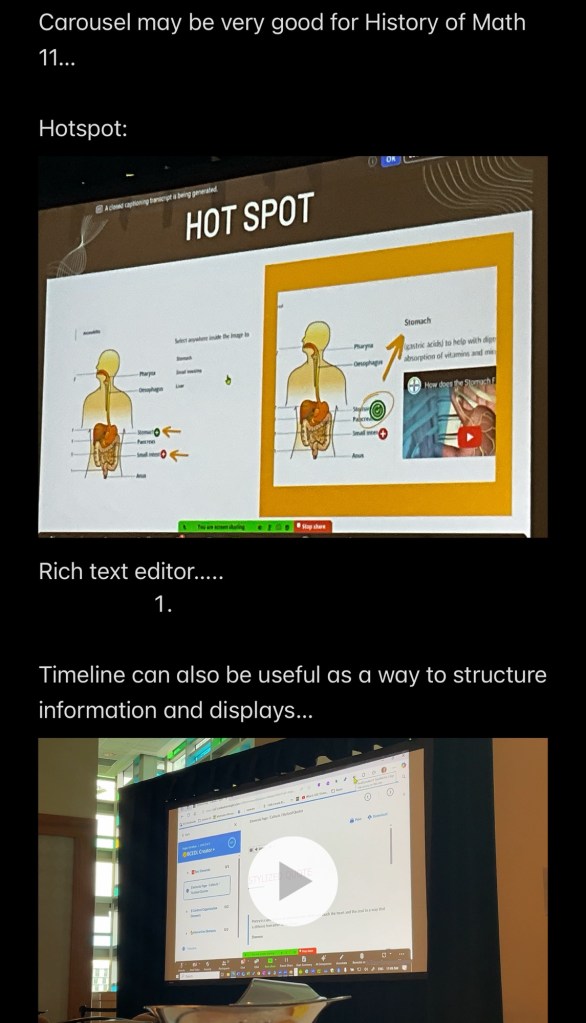
- Take tons of text, but display it differently. Accordion, tabs, callout, click and reveal, stylized quote, flip cards, carousel, hot spot
- Call Out and Stylized Quote emphasize text (example)

After lunch, an ‘in camera’ (no notes) session 4 round table talking about cross enrolment, academic advising, francophone cross enrolment… and other things that are hopefully kept discreet! 😇
Session 5 – decolonizing simple tools with Diane Henderson
think and do a deep dive around the history(s) of the sewing needle…
Eg its expansion into a harpoon… specifically the Inuit toggle harpoon and how with a ‘needle’ approach (and leather strap) allows the harpoon to ‘break’ into a hook when it pierces the prey…
Is deconstructing and exploring this decolonization?
Nice break-down into a circle for a discussion about what decolonization can be – it is not a checklist nor a clear pathway. There is also a lot of stigma about changing ‘things that are’… even if it is biased… and systemic blockers in the way – as I get when I ask, why not be in session on Good Friday and Easter monday?
- Digging deeper can be a great step (explore history and see where it leads to)
- What are people seeing and responding to (from US politician insulting china to math & science approaches)
- Honouring ‘other’ ways of knowing (and doing etc) and not ‘taking away’ – but adding to
- Eg struggle early on about incorporating indigenous ways into scientific method in some courses…
- The ‘five’ senses… maybe more…
- Allowing wisdom to exist without being ‘approved’ by subject terms such as ‘science’ to justify it
- Embed and inclusify indigenization into the learning
- Role of spirituality – differing levels of comfort for this (and not the same as religious)
- Sitting with complexity – not everything gets simplified…. And sometimes it is about “an” answer, not ‘the’ answer – from one truth to many perspectives
- Metaphor of “projectors are always installed to point one way” (except I keep mine on carts whenever possible) – different vs one pov
- Only one way to make cookies (follow a recipe??) Not always about messing up – can also be about improvements/enhancements!
Session 6: Learn, Laugh and Level Up!
Be awesome to each other. Have fun. More tomorrow!!
 Technolandy
Leave a comment